

During the installation of SftMask/OCX, an icon for the demo application "Demo" is installed in the program group SftMask OCX 7.0.
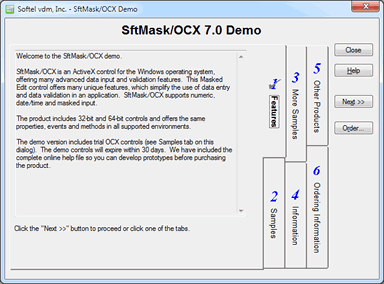
This demo application shows some of the features available in SftMask/OCX. It is also used to access other samples included in the demo or product and the online help.
All sample programs and complete sample source code can be found in the directory \Program Files\Softelvdm\SftMask OCX 7.0\Samples or \Program Files (x86)\Softelvdm\SftMask OCX 7.0\Samples (64-bit Windows versions). Each sample is installed in its own subdirectory. All samples are supplied with a precompiled executable (EXE) and an entry is added to the SftMask OCX 7.0 program group for each sample.

 On
On Off
Off