

Values the user enters in a field are checked in three steps:
Every change the user makes is checked this way: a typed or changed part, a value chosen in the dropdown, a text typed with free-form editing or pasted, and a field emptied with the Delete key or the Clear button. Values set by the application, with the Value property, the SetRange method or the Text property, are not checked, and clearing or checking the check box only hides or shows the value, so neither raises the ValueValidating event. A calendar has no validation; its selection is limited by its minimum and maximum dates and by the days that cannot be selected (see below).
In Windows Forms, e.newValue holds the value the user entered, Null when the user empties the field; in range mode, e.newRangeEnd holds the last date of the range. Setting e.cancel to true refuses the value, and the field shows the previous value again. Changing e.newValue or e.newRangeEnd accepts a different value instead, for example the following Monday for a Saturday; it is moved into the limits like a value the user entered, and Null is refused if the field allows neither an empty value nor a check box.
An application that refuses a value can tell screen reader users why with the Announce method. This example refuses Saturdays and Sundays, as the C# EventViewer sample does:
private void sftDate1_ValueValidating(object sender, AxSftDateLib20._ISftDateEvents_ValueValidatingEvent e) {
    if (e.newValue is DateTime) {
        DayOfWeek day = ((DateTime)e.newValue).DayOfWeek;
        if (day == DayOfWeek.Saturday || day == DayOfWeek.Sunday) {
            e.cancel = true;
            sftDate1.Announce("Appointments are only possible on weekdays.", SftDateAnnounceConstants.announceSftDateError, false);
        }
    }
}
In a calendar, including the dropdown calendar of a field, days can be made unavailable: the Calendar.DisabledDaysOfWeek property disables days of the week, a special date whose Enabled property is set to False disables a day (see Special Dates), and the DayFormatting event can disable any day with the Enabled property of its day object (see Day Formatting). Disabled days are shown in the DisabledForeColor color and cannot be selected; days outside the minimum and maximum dates are disabled as well.
sftDate1.Calendar.DisabledDaysOfWeek = SftDateDaysConstants.daysSftDateWeekend;
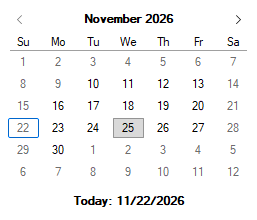
These settings apply to the calendar only. A field's ValueValidating event refuses such days when the user types them.
A text the user types in a free-form field or pastes into a field can be parsed by the application in the TextParsing event before the field parses it (see Editing).

 On
 Off