

Optional column footers are shown below the items of the list, for example to show a count or a total. In a combo box, they are hidden until the FootersClass.Visible property is set. Column footers consist of one or multiple rows of cells (FootersClass.Rows). Individual cells within the column footers can be accessed using the FootersClass.Item property. Languages supporting indexers can use array syntax, usually Footers[] or Footers().
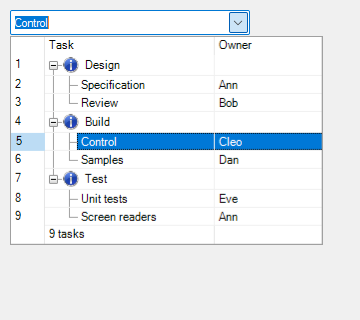
The FootersClass class describes attributes that apply to all footers of the list. It is accessed using the ListClass.Footers property.
Cells within column footers offer all the cell properties and can contain zero, one or several parts, such as text, images, buttons, check boxes, radio buttons, progress bars, and more. By using cell merging within column footers, cells can be merged vertically and/or horizontally.
Cells in column footers usually are defined to look like buttons or headers using the FootersClass.AppearanceDefault property.
If a user clicks on a column footer, the FooterClicked event of the list (ListClass.FooterClicked) occurs. The properties FootersClass.LastClicked, FootersClass.ClickedRow and FootersClass.ClickedColumn are useful to determine the footer clicked.
See Also List Components

 On
 Off