

With the SelectionMode property set to SelectionModeEnum.Range, a field or a calendar holds a range of dates instead of one date. A range can have any length, from one day to many years; the CalendarClass.MaxRangeDays property can limit it (0, the default, means no limit).
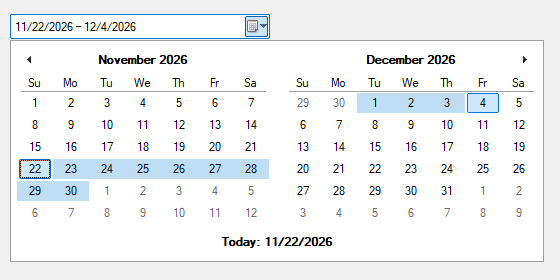
An SftDate control in range mode shows the first and the last date of the range, separated by the SftDate.RangeSeparator text. The SftDate.RangeStart and SftDate.RangeEnd properties hold the two dates, and the SftDate.Value property holds the first date. The SftDate.RangeChanged event occurs when either date changes.

The dropdown of a range field shows two months. The user clicks the first and then the last date of the range; the dropdown closes after the second click.
In an SftCalendar control in range mode, the SftCalendar.RangeStart and SftCalendar.RangeEnd properties hold the selected range, and the SftCalendar.SelectRange method selects one. The SftCalendar.RangeChanged event occurs when the range changes. The days between the first and the last day are shown in the CalendarClass.RangeBackColor color.
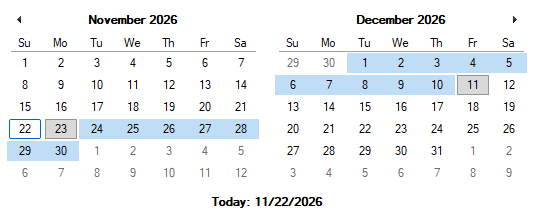
The user selects a range with the mouse or the keyboard:
C#
sftCalendar1.SelectionMode = SelectionModeEnum.Range;
sftCalendar1.SelectRange(new DateTime(2026, 11, 23), new DateTime(2026, 12, 11));
VB
SftCalendar1.SelectionMode = SelectionModeEnum.Range
SftCalendar1.SelectRange(New DateTime(2026, 11, 23), New DateTime(2026, 12, 11))

 On
 Off