

A tab control usually displays all available tabs. Using the Scrolling.Style property, a tab control can be made a scrollable tab control. For a scrollable tab control, only one row of tabs can be defined (see Tabs.Rows property).
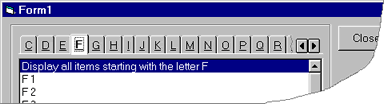
The scroll buttons are used to scroll tabs left or right. In a tab control with a vertical orientation, tabs are scrolled up or down.
The Scrolling.Picture property can be used to change the graphic used for the scroll buttons. See "Buttons" for the properties of the scroll buttons and the optional Close, Minimize and Restore buttons.

 On
 Off