SftButton/DLL 3.0 - Button Control
SftTree/DLL 8.0 - Tree Control
SftBox/OCX 5.0 - Combo Box Control
SftButton/OCX 4.0 - Button Control
SftMask/OCX 7.0 - Masked Edit Control
SftTabs/OCX 6.5 - Tab Control (VB6 only)
SftTree/OCX 8.0 - Tree Control
SftButton/DLL 3.0 - Button Control
SftTree/DLL 8.0 - Tree Control
SftBox/OCX 5.0 - Combo Box Control
SftButton/OCX 4.0 - Button Control
SftMask/OCX 7.0 - Masked Edit Control
SftTabs/OCX 6.5 - Tab Control (VB6 only)
SftTree/OCX 8.0 - Tree Control
SftTree/NET 2.0 - Tree Control
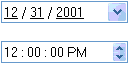
If a Windows theme is selected, the display of user interface controls, such as SftMask/DLL, adapts to the current display theme. Themes can provide various display styles for the same control. With themes active, Windows renders (paints) the control:
![]() | ![]() |
| Without Themes | With Themes |
By using the iUseThemes field of the SFTMASK_CONTROL structure, SftMask/DLL adapts to the current theme used. If set to SFTMASK_THEME_NO, themes are not honored and the control is rendered using the built-in style. See SFTMASK_THEME Constants for all available settings.
To prepare an application for proper themes support, the control should be viewed both with and without themes to make sure that the defined control is visually satisfactory in both cases.
Themes are suppressed automatically while dark mode or high contrast rendering is active, so the control matches the dark palette or the user's high contrast palette instead of the system's light-themed style.
Keep in mind that numerous control definitions, particularly relating to colors, have no effect when themes are active.
See Also Display Attributes | Dark Mode | High Contrast | SFTMASK_THEME Constants