
Installing SftTree/DLL
|
|
|
|
|
|
Installing SftTree/DLL |
When you are ready to install SftTree/DLL:
1. Insert the SftTree/DLL installation CD into a suitable drive.
2. Install SftTree/DLL from the installation CD by running Setup.exe.
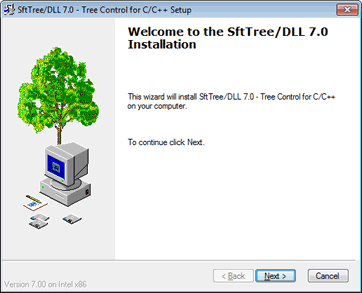
3. Follow the instructions on the installation dialogs. Please note that the single developer version of SftTree/DLL can only be installed by one user on one system. Multiple developer licenses and site licenses are available. Contact Softel vdm, Inc. for more information.
4. During the installation, you will be prompted to register the product using the License Manager application. Without proper registration, the product will not run. Once you are a registered user, you can take advantage of our product support, free maintenance versions and you will receive information regarding new releases.
5. Once SftTree/DLL has been successfully installed, you will find a new program group SftTree/DLL 7.0. Entries for the SftTree/DLL Demo, sample applications, the on-line help file and the release notice have been added. Please read the release notice at this time. It contains information which could not be added to this documentation.